

Free and open source markdown editor. Zero-knowledge, end-to-end encrypted notes, tasks, journals, files, passwords and contacts in one app. No subscription.
Zurich
Joined April 2026
- Tweets195
- Following128
- Followers1.4K
- Likes90




Desktop users (Windows, macOS, Linux): we fixed a bug where in-app auto-updates could silently miss new releases, and added a "Check for updates" button in Settings > About.
Please update manually once so future auto-updates work reliably: privacynotes.app/#downloads

113
Time-grouped medication checklist, new custom trackers and faster Calendar jumps
- Medication checklist groups doses into Morning, Afternoon, Evening and Anytime with one-tap Take all, skip reasons and As needed.
- Two numbers and Counter join custom tracker types in Journals.
- Show today jumps back in the mini-calendar, and Today or T scrolls the Calendar agenda.
Try it, no account: try.privacynotes.app
#journaling #habittracker #privacy

3
167
Browser extension adds folder and tag pickers, plus Opera, Arc, LibreWolf and Zen
- Pick tags and a folder (in Pro) inside the browser extension when clipping a page, creating a note or saving a login.
- Opera, Arc, LibreWolf and Zen join the supported browsers in Settings > Extension.
- The Web Clipper window has a cleaner preview card and clearer picture-saving options.
Get it free: privacynotes.app
#webclipper #browserextension #privacy

1
13
640
Mobile upgrade: swipe actions, pull to sync, and links in your default iPhone browser
- Pull down on any list on a phone or tablet to sync right away.
- Swipe left on a row for More, Archive, Restore or Delete.
- Share photos into PrivacyNotes on iPhone or Android as a new note with a title and text.
- Links on iPhone and iPad now open in your default browser.
Get it free: privacynotes.app
#iOS #Android #privacy

1
112
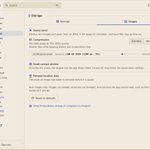
Space saver compression levels and smarter image pasting
- Space saver in Settings > Storage > Images now offers Standard, Small and Tiny compression with a live size and quota preview.
- Pasted screenshots and images are named after the note with a counter, while dragged files keep their original names.
- Uploading a backup file in Files asks whether to restore or store it.
Try it, no account: try.privacynotes.app
#notes #storage #privacy

1
146
Big lists just got easier to scan: group by type, folder, site, date or letter
- New Group by menu under Sort by: group any list by type, folder, website, date or first letter, independently of sort order (including Size).
- Pinned tabs sync in order across all your devices; unpinned tabs stay local.
- Lists with pinned items now get a foldable Pinned header.
Try it, no account: try.privacynotes.app
#notes #productivity #privacy

2
12
465
New importers: Notion, Day One, Diaro and Todoist
- Notion: Markdown & CSV exports with nested subpages as folders, note-links, callouts, folds, files and databases.
- Day One and Diaro: journals with photos, places, weather, tags and folders.
- Todoist: projects with sections, nested subtasks, priorities, due dates and labels.
Try it, no account: try.privacynotes.app
#Notion #Todoist #privacy

Local-only mode: use the desktop and mobile apps offline with no account
- Create a vault in the desktop and mobile apps with sync off and no server registration.
- Turn sync on or upgrade to Pro later with one click in Settings > ID & Sync.
- Restore an encrypted backup with its recovery phrase or QR code.
- Phrase sign-in now masks your words as you type or paste.
Get it free: PrivacyNotes.app
#privacy #offline #localfirst

7
358
Four more apps you can move from: OneNote, Capacities, mSecure and Raindrop.io
- OneNote: notebooks with section groups, sections and subpages, plus an export guide.
- Capacities, with its own export guide.
- mSecure: logins, cards and custom fields into the Vault.
- Raindrop.io: collections become folders.
- Bitwarden .zip imports keep attachments and passkeys.
Try it, no account: try.privacynotes.app
#OneNote #Bitwarden #privacy

Hide any section behind your PIN: out of every list, search and count
Right-click a section in the sidebar, or long-press it on a phone, and choose Protect.
- Its items stay out of every list, search and count until you enter your PIN.
- Works for the Vault and every other section.
- Each section has its own menu: New items, Protect and Lock now.
Try it, no account: try.privacynotes.app
#privacy #passwordmanager #security

23
1,166
Passkeys are here: a new device no longer needs your recovery phrase typed in
- In the browser, a passkey can take the place of typing your recovery phrase on a new device.
- With the browser extension, the Vault saves the passkeys of your websites and offers them the next time a site asks.
- Settings > Security has a new 2FA / Passkeys tab.
Get it free: privacynotes.app
#passkeys #passwordmanager #privacy

See your trackers on the Calendar, and count the days between two dates
- The Calendar shows your trackers on its days. Tap a day to see its values.
- Journals can show one tracker only, with the days between entries.
- Count the days between two dates, also in weeks and workdays.
- Repeating events are striped, and each subscribed calendar gets its own color.
Try it, no account: try.privacynotes.app
#calendar #habittracker #privacy

1
9
403
Local only, if you want: notes stay on this device until you turn sync on
Every sign-up now asks about sync and says what each choice means.
- Sign up with a recovery phrase and your notes stay on this device until you turn sync on in Settings > ID & Sync.
- With sync off, your notes never reach our servers. Lose the device or clear the browser, and they are gone, so keep a backup.
Get it free: privacynotes.app
#privacy #localfirst #encryption

Offline plugins: add only the tools you want, and they work with no internet
Add only the tools you want in Settings > Plugins. Each downloads once, then works offline and reads your notes only on your device.
- Scan a page into a flat picture or a PDF
- Voice to text for your recordings
- Text in pictures, Translate and Remove noise, in Pro
Get it free: privacynotes.app
#privacy #offline #OCR

10
531
Split view: write Markdown and see it formatted right next to it
- Open two different notes side by side, from a note's menu or its tab. Both stay editable.
- Split view puts a note's Markdown beside its formatted view. Edit on either side.
- Line numbers in every view, from a switch in the note footer.
Try it, no account: try.privacynotes.app
#Markdown #notes #privacy

Thank you @AlternativeTo

📄🔐 PrivacyNotes has expanded its platform with browser extensions, a dead man's switch, automatic backups, import options, and a new homepage. It also now supports cryptocurrency payments and offers a command-line tool.
alternativeto.net/news/2026/…

ALT A dark-themed browser extension interface displays options to save web pages as notes or bookmarks, featuring a news headline from BBC.
PrivacyNotes now suggests notes to link by meaning, with an offline AI model that runs on your device
- Connections suggests notes you have not linked yet and tells you why each one matches.
- One click links a suggestion at the cursor or as a footnote.
- Smart connections (Pro) finds notes with the same meaning, even in other words or another language.
- It uses an offline AI model (bekko-static) that runs only on your device. Your notes are not sent anywhere to be read.
All of it: privacynotes.app/changelog

3
25
1,058
Thank you @hotchpotch for creating bekko, it's working great for us. Keep up the good work 🫂
2
213
Bring everything: notes, journals, passwords, calendars and bookmarks now import into PrivacyNotes
- Password managers: 1Password, LastPass, Dashlane, Proton Pass, NordPass, Enpass, KeePass and KeePassXC, with 2FA keys and custom fields.
- KeePass imports keep their attachments.
- Journals: Daylio, Diarium and Google Journal, with moods, tags and photos.
- Note apps: Anytype and SiYuan, with notebooks and nested pages as folders.

Crypto payments shipped: BTC, Lightning, ETH, USDC and USDT on many networks
- In the Upgrade window, choose Pay with crypto. It works on the web and in the desktop app.
- Coins: Bitcoin on-chain and over Lightning, ETH on Ethereum, Base and Arbitrum, and USDC and USDT on Ethereum, Base, Arbitrum, Polygon, Optimism, Solana, BNB Smart Chain and Tron.
- The price is the same as with a card. Pro is a one-time payment for life.
- Pro unlocks as soon as the payment arrives: seconds on fast networks.

2
14
640